Overview
Digital games, also referred to as video games, computer games, console games, online games or mobile games, exist in a variety of formats, platforms and genres. This unit provides an introduction to the theories, principles and methods of game design. It analyses the essential elements of games that designers work with to create the all-important player experience. Activities such as conceptualising, designing, prototyping and evaluating games are explored.
Details
Pre-requisites or Co-requisites
Prerequisite DGTL11006 Coding Fundamentals or MMST11002 Web Design
Important note: Students enrolled in a subsequent unit who failed their pre-requisite unit, should drop the subsequent unit before the census date or within 10 working days of Fail grade notification. Students who do not drop the unit in this timeframe cannot later drop the unit without academic and financial liability. See details in the Assessment Policy and Procedure (Higher Education Coursework).
Offerings For Term 1 - 2026
Attendance Requirements
All on-campus students are expected to attend scheduled classes - in some units, these classes are identified as a mandatory (pass/fail) component and attendance is compulsory. International students, on a student visa, must maintain a full time study load and meet both attendance and academic progress requirements in each study period (satisfactory attendance for International students is defined as maintaining at least an 80% attendance record).
Recommended Student Time Commitment
Each 6-credit Undergraduate unit at CQUniversity requires an overall time commitment of an average of 12.5 hours of study per week, making a total of 150 hours for the unit.
Class Timetable
Assessment Overview
Assessment Grading
This is a graded unit: your overall grade will be calculated from the marks or grades for each assessment task, based on the relative weightings shown in the table above. You must obtain an overall mark for the unit of at least 50%, or an overall grade of 'pass' in order to pass the unit. If any 'pass/fail' tasks are shown in the table above they must also be completed successfully ('pass' grade). You must also meet any minimum mark requirements specified for a particular assessment task, as detailed in the 'assessment task' section (note that in some instances, the minimum mark for a task may be greater than 50%). Consult the University's Grades and Results Policy for more details of interim results and final grades.
All University policies are available on the CQUniversity Policy site.
You may wish to view these policies:
- Grades and Results Policy
- Assessment Policy and Procedure (Higher Education Coursework)
- Review of Grade Procedure
- Student Academic Integrity Policy and Procedure
- Academic Progression Policy and Procedure
- Student Refund and Credit Balance Policy and Procedure
- Complaints Policy and Procedure
- Information and Communications Technology Acceptable Use Policy and Procedure
This list is not an exhaustive list of all University policies. The full list of University policies are available on the CQUniversity Policy site.
Feedback, Recommendations and Responses
Every unit is reviewed for enhancement each year. At the most recent review, the following staff and student feedback items were identified and recommendations were made.
Feedback from SUTE Dashboard
Unit curriculum, assessment tasks and learning resources will be reviewed as part of the unit coordinator's annual reflective practice and updated to maintain excellent student satisfaction levels. This includes reviewing any 'non-assessable' tasks to streamline the student learning journey.
In addition to personal reflection, the unit coordinator will benchmark MMST12017 against similar offerings at other institutions to ensure it meets or exceeds sector standards, while also maintaining careful consideration of students’ cognitive load.
Feedback from SUTE Dashboard
There is interest in in expanding the analysis of the strengths and weaknesses of additional indie and commercial game titles, with emphasis on formal game elements and the user interface (UI) design.
Additional game examples will be sought and actively discussed within the weekly Zoom sessions.
- Explain theories, principles and methods of game design
- Conceptualise a game and communicate ideas through design documentation
- Competently use software tools for creating games and game assets
- Create a prototype for a game, applying theories, principles and methods of game design
- Evaluate a game in terms of theories and principles of game design
Alignment of Assessment Tasks to Learning Outcomes
| Assessment Tasks | Learning Outcomes | ||||
|---|---|---|---|---|---|
| 1 | 2 | 3 | 4 | 5 | |
| 1 - Practical Assessment - 30% | |||||
| 2 - Practical Assessment - 25% | |||||
| 3 - Practical Assessment - 45% | |||||
Alignment of Graduate Attributes to Learning Outcomes
| Graduate Attributes | Learning Outcomes | ||||
|---|---|---|---|---|---|
| 1 | 2 | 3 | 4 | 5 | |
| 1 - Communication | |||||
| 2 - Problem Solving | |||||
| 3 - Critical Thinking | |||||
| 4 - Information Literacy | |||||
| 5 - Team Work | |||||
| 6 - Information Technology Competence | |||||
| 7 - Cross Cultural Competence | |||||
| 8 - Ethical practice | |||||
| 9 - Social Innovation | |||||
| 10 - First Nations Knowledges | |||||
| 11 - Aboriginal and Torres Strait Islander Cultures | |||||
Alignment of Assessment Tasks to Graduate Attributes
| Assessment Tasks | Graduate Attributes | ||||||||||
|---|---|---|---|---|---|---|---|---|---|---|---|
| 1 | 2 | 3 | 4 | 5 | 6 | 7 | 8 | 9 | 10 | 11 | |
| 1 - Practical Assessment - 30% | |||||||||||
| 2 - Practical Assessment - 25% | |||||||||||
| 3 - Practical Assessment - 45% | |||||||||||
Textbooks
Game Design Workshop: A Playcentric Approach to Creating Innovative Games
- Fifth Edition (2024)
- Authors: Tracy Fullerton
- CRC Press
- Boca Raton Boca Raton , Florida , United States
- ISBN: 9781003858447
Available electronically via CQU Library/ProQuest - https://cqu.primo.exlibrisgroup.com/permalink/61CQU_INST/a7uumo/alma991002022523703441
- Binding: Website Link
The Art of Game Design: A Book of Lenses
- Third Edition (2020)
- Authors: Jesse Schell
- CRC Press LLC
- Boca Raton Boca Raton , Florida , United States
- ISBN: 9781351803649
Available electronically via CQU Library/ProQuest - https://cqu.primo.exlibrisgroup.com/permalink/61CQU_INST/669qn3/cdi_askewsholts_vlebooks_9781315208435
- Binding: eBook
IT Resources
- CQUniversity Student Email
- Internet
- Unit Website (Moodle)
- Microsoft Office
- Piskel (free from http://www.piskelapp.com)
- Adobe Creative Cloud Suite (student pricing available from http://www.adobe.com/au/creativecloud/buy/students.html)
- Google Docs
- Unity Personal Edition v6000.0.62f1LTS (Long Term Support) - available from https://unity.com/releases/editor/archive. Your local CQUniversity campus may have a slightly different version installed. Once term is underway, try and remain on the same Unity version to minimise issues.
All submissions for this unit must use the referencing style: American Psychological Association 7th Edition (APA 7th edition)
For further information, see the Assessment Tasks.
j.picton@cqu.edu.au
Week 1
Begin Date: 09 Mar 2026Module/Topic
An Introduction to Games
Chapter
Hunicke, R. LeBlanc, M. & Zubek, R. (2004). MDA: A Formal Approach to Game Design and Game Research. http://www.cs.northwestern.edu/~hunicke/MDA.pdf
Koster, R. (2013). Chapter 3 What Games Are. A theory of fun for game design (2nd edition.). O’Reilly. https://learning.oreilly.com/library/view/theory-of-fun/9781449363208/ch03.html
Koster, R. (2013). Chapter 5 What Games Aren't. A theory of fun for game design (2nd edition.). O’Reilly. https://learning.oreilly.com/library/view/theory-of-fun/9781449363208/ch05.html
Events and Submissions/Topic
- Welcome!
- Website & Assessment Overview
Section 1: Hands-On
- What is the difference between play and a game?
- Discuss your favourite game
- Tic-Tac-Woe (introduction to modifying paper-based game mechanics)
- Fail Faster. The Mantra of the Game Designer
- Play. Iterate. Repeat. (introduction to playtesting)
- Know your Audience and their Motivations for Play (introduction to Audience Persona)
- Install Unity Hub
- Install Unity
- Create a Unity ID
- Unity Learning Pathways
- Start Unity 'Essentials' Pathway
Week 2
Begin Date: 16 Mar 2026Module/Topic
The Role of the Game Designer
Chapter
Fullerton, T. (2024), Chapter 1 The Role of the Game Designer. Game Design Workshop (5th ed.). CRC Press. https://learning.oreilly.com/library/view/game-design-workshop/9781003858447/xhtml/C_008_c1.xhtml
Schell, J. (2020). Chapter 1 In the Beginning There is a Designer. Game Design: A Book of Lenses (3rd ed.). CRC Press. https://learning.oreilly.com/library/view/the-art-of/9781351803632/xhtml/C04_chapter1.xhtml
Events and Submissions/Topic
Brain Strain: Week 1 & 2 Theory Pop Quiz (5 Questions)
Section 1: Hands On
- You Sunk my Battleship! (modifying paper-based game mechanics)
- Assignment 1 & Introduction to the Game Concept Document (GCD)
- Opportunities in the gaming industry (discussion)
- Audience-based game concept pitch
- Ideation & creativity exercise
Section 2: Unity
- Create a new project
- Create a game scene
- Create your first 2D game: Pong
- Overview of C# scripting in Unity
Week 3
Begin Date: 23 Mar 2026Module/Topic
The Structure of Games
Chapter
Fullerton, T. (2024). Chapter 2 The Structure of Games. Game Design Workshop (5th ed.). CRC Press. https://learning.oreilly.com/library/view/game-design-workshop/9781003858447/xhtml/C_009_c2.xhtml
Schell, J. (2020). Chapter 5 The Game Consists of Elements. Game Design: A Book of Lenses (3rd ed.). CRC Press. https://learning.oreilly.com/library/view/the-art-of/9781351803632/xhtml/C08_chapter5.xhtml
Events and Submissions/Topic
Brain Strain: Pop Quiz: Week 3 Theory Pop Quiz (5 Questions)
Section 1: Hands On
- Fix a broken mechanic Part 1(create opportunities for meaningful play)
- What was your favourite childhood game? (discussion)
Section 2: Unity
- Introduction to the Unity Playground framework
- Playground Asteroids tutorial
- Pimp (customise) your Asteroids
- Offset your technical limitations. Introduction to ethical use of AI in game design
- Publish your game in web-friendly WebGL format
- Create an Itch.io account
- Publish your Asteroids game to Itch.io
Week 4
Begin Date: 30 Mar 2026Module/Topic
Conceptualising a Game
Chapter
Fullerton, T. (2024). Chapter 6 Ideation. Game Design Workshop (5th ed.). CRC Press. https://learning.oreilly.com/library/view/game-design-workshop/9781003858447/xhtml/C_014_c6.xhtml
Schell, J. (2020). Chapter 7 The Game Begins with an Idea. Game Design: A Book of Lenses (3rd ed.). CRC Press. https://learning.oreilly.com/library/view/the-art-of/9781351803632/xhtml/C10_chapter7.xhtml
Events and Submissions/Topic
Brain Strain: Week 4 Theory Pop Quiz (5 Questions)
Section 1: Hands On
- Fix a broken mechanic Part 2
- Pitch your game concept & receive feedback
Section 2: Unity
- Recreate Pong with Unity Playground
- Publish your Pong game to Itch.io for playtesting
Game Concept Document (GCD) & Game Design Journal (Weeks 1-4) Due: Week 4 Friday (3 Apr 2026) 11:45 pm AEST
Week 5
Begin Date: 06 Apr 2026Module/Topic
Prototyping a Game
Chapter
Fullerton, T. (2024). Chapter 7 Prototyping. Game Design Workshop (5th ed.). CRC Press. https://learning.oreilly.com/library/view/game-design-workshop/9781003858447/xhtml/C_015_c7.xhtml
Schell, J. (2020). Chapter 8 The Game Improves through Ideation. Game Design: A Book of Lenses (3rd ed.). CRC Press. https://learning.oreilly.com/library/view/the-art-of/9781351803632/xhtml/C11_chapter8.xhtml
Events and Submissions/Topic
Brain Strain: Week 5 Pop Quiz (5 Questions)
Section 1: Hands on
- Platform games (discussion)
- Mapping your game level and flow
- Generate level ideas with a Mind Map
- Conceptualise your game with a Bubble Map
- Add detail and flow with a Rough Map
Section 2: Unity
- Grey Box Prototyping (prototyping with placeholder assets)
- Creating placeholders
- Adding Collisions
- Building smarter with Prefabs
- The Hierarchy - Keep organised
- Think like a player - Level design for platform games
- Introduction to platform effectors
- Add a player and make it move!
- Adjusting the camera view
Week 6
Begin Date: 13 Apr 2026Module/Topic
Formal Game Elements
Chapter
Fullerton, T. (2024). Chapter 3 Working with Formal Elements. Game Design Workshop (5th ed.). CRC Press. https://learning.oreilly.com/library/view/game-design-workshop/9781003858447/xhtml/C_010_c3.xhtml
Schell, J. (2020). Chapter 12 Some Elements are Game Mechanics. Game Design: A Book of Lenses (3rd ed.). CRC Press. https://learning.oreilly.com/library/view/the-art-of/9781351803632/xhtml/C15_chapter12.xhtml
Events and Submissions/Topic
Brain Strain: Week 6 Pop Quiz (5 Questions)
Section 1: Hands-On:
- Making games more dramatic through premise and narrative
- McCloud's Triangle - Drawing Activity to help you find your art style
Section 2: Character Design and Introduction to Creating Game Art
- Character Model Sheets (Turnarounds)
- Create a simple Sprite sheet (start work on your character sprite sheet for Assignment 3)
- Extra resources
Vacation Week
Begin Date: 20 Apr 2026Module/Topic
Mid-term Break (no classes)
Chapter
Events and Submissions/Topic
Week 7
Begin Date: 27 Apr 2026Module/Topic
Dramatic Game Elements
Chapter
Fullerton, T. (2024). Chapter 4 Working with Dramatic Game Elements. Game Design Workshop (5th ed.). CRC Press. https://learning.oreilly.com/library/view/game-design-workshop/9781003858447/xhtml/C_011_c4.xhtml
Schell, J. (2020). Chapter 17 One Kind of Experience is the Story. Game Design: A Book of Lenses (3rd ed.). CRC Press. https://learning.oreilly.com/library/view/the-art-of/9781351803632/xhtml/C20_chapter17.xhtml#sec17_1
Events and Submissions/Topic
Brain Strain: Week 7 Pop Quiz (5 Questions)
Section 1: Unity
- Import a pre-made sprite sheet from the Unity Asset Store
- Create a simple 2D sprite animation (make a sprite move between idle and run)
- Introduction to the Unity Animator & moving between animation states
- Linking simple scripts to the animator
- Attaching sounds to your animated sprite
Playable Paper Prototype Game, Playtest Video & Game Design Journal (Weeks 5-7) Due: Week 7 Friday (1 May 2026) 11:45 pm AEST
Week 8
Begin Date: 04 May 2026Module/Topic
System Dynamics
Chapter
Fullerton, T. (2024). Chapter 5 Working with System Dynamics. Game Design Workshop (5th ed.). CRC Press. https://learning.oreilly.com/library/view/game-design-workshop/9781003858447/xhtml/C_012_c5.xhtml
Schell, J. (2020). Chapter 13 Game Mechanics Must be in Balance. Game Design: A Book of Lenses (3rd ed.). CRC Press. https://learning.oreilly.com/library/view/the-art-of/9781351803632/xhtml/C16_chapter13.xhtml#sec13_1_1
Events and Submissions/Topic
Brain Strain: Week 8 Pop Quiz (5 Questions)
Section 1: Unity
- What do we know about building 2D environments already?
- Building a Unity 2D environment
- Import a pre-made Tilemap asset from the Unity Asset Store
- Games as onions: Introduction to layers and sorting layers
- Working with tilemaps
- Tilemap colliders
- Adding ambient and player-triggered audio
Week 9
Begin Date: 11 May 2026Module/Topic
Communicating your Designs
Chapter
Fullerton, T. (2024). Chapter 14 Communicating your Designs. Game Design Workshop (5th ed.). CRC Press. https://learning.oreilly.com/library/view/game-design-workshop/9781003858447/xhtml/C_023_c14.xhtml
Schell, J. (2020). Chapter 27 The Team Sometimes Communicates through Documents. Game Design: A Book of Lenses (3rd ed.). CRC Press. https://learning.oreilly.com/library/view/the-art-of/9781351803632/xhtml/C30_chapter27.xhtml
Events and Submissions/Topic
Brain Strain: Week 9 Pop Quiz (5 Questions)
Section 1: Unity
- What do we know about 2D gameworld physics already?
- Rigidbody 2D
- 2D Joints
- Effectors 2D
Week 10
Begin Date: 18 May 2026Module/Topic
Digital Prototyping
Chapter
Fullerton, T. (2024). Chapter 8 Digital Prototyping. Game Design Workshop (5th ed.). CRC Press. https://learning.oreilly.com/library/view/game-design-workshop/9781003858447/xhtml/C_016_c8.xhtml
Schell, J. (2020). Chapter 29 The Team Builds a Game with Technology. Game Design: A Book of Lenses (3rd ed.). CRC Press. https://learning.oreilly.com/library/view/the-art-of/9781351803632/xhtml/C32_chapter29.xhtml#sec29_1
Events and Submissions/Topic
Brain Strain: Week 10 Pop Quiz (5 Questions)
Section 1: Considerations for Assignment 3
- The MVP - Minimum Viable Product
- Publishing, playtesting and Quality Assurance (QA)
Section 2: Unity
- What do we know about the Unity Playground already?
- Review of the Unity Playground scripts
- Deconstructing the Playground 'Demo' scenes - looking under the bonnet for synergies
- How does this help with our games?
Week 11
Begin Date: 25 May 2026Module/Topic
Publishing a Game
Chapter
Fullerton, T. (2024, Chapter 15). Understanding the New Game Industry. Game Design Workshop (5th ed.). CRC Press. https://learning.oreilly.com/library/view/game-design-workshop/9781003858447/xhtml/C_024_c15.xhtml#h15_1
Events and Submissions/Topic
Brain Strain: Week 11 Pop Quiz (5 Questions)
Section 1: Students Working on Digital Prototype
- Students working on individual Assignment 3 Unity digital prototypes (Most Viable Product - MVP)
- Opportunity for playtesting and feedback
- Feedback on progress
Week 12
Begin Date: 01 Jun 2026Module/Topic
Review Week
Chapter
Please complete the 'Have your Say' student feedback survey which has been emailed to your CQU student email account.
Events and Submissions/Topic
Section1: Playtesting and Feedback Session
Students will:
- briefly introduce their game with a short pitch
- present individual Unity digital prototypes for playtesting
- start collecting feedback looking for important issues to fix prior to Assignment 3 submission
Exam Week
Begin Date: 08 Jun 2026Module/Topic
Chapter
Events and Submissions/Topic
Vacation/Exam Week
Begin Date: 15 Jun 2026Module/Topic
Chapter
Events and Submissions/Topic
Theme Constraint (2026): Choose between Play as Protest OR Play as Care.
Delivery: This unit is delivered fully online via Zoom.
Lab Access: Students near a CQUniversity campus may utilise the Digital Media Lab during scheduled class hours for access to Unity and Adobe Creative Cloud software.
1 Practical Assessment
2026 THEME: PLAY AS PROTEST / PLAY AS CARE (CHOOSE ONE)
ASSIGNMENT 1 OVERVIEW
Using the provided template, you will conceptualise a prototype concept for a modest 2D game by developing a feasible, clear, and concise Game Concept Document (GCD). This documentation must directly respond to the 2026 theme, serving as the essential design foundation for your subsequent Paper Prototype (Assignment 2) and Digital Prototype (Assignment 3). The most impactful games are often the smallest. Focus on delivering a game concept with simple mechanics that deliver a deep emotional or social message. Think "Platformer" or "Dungeon Crawler" rather than "The next Call of Duty."
Additionally, you will begin your Game Design Journal (Blog) for weeks 1–4. The informal weekly blogging activities challenge you to reflect and evaluate your own design process, and the work of professional game designers, through the lens of the theories and principles covered in this unit. They also allow you to ask questions of the Unit Coordinator or get feedback.
By completing Assignment 1, you will be able to:
- Explain key game‑design theories, principles and methods. You will show that you understand core concepts from the unit (e.g., MDA, Taxonomy of Fun, design principles) and can apply them when analysing games and planning your own concept.
- Conceptualise a game idea and communicate it effectively through design documentation. You will demonstrate the ability to generate a feasible game concept and express it clearly in a structured Game Concept Document (GCD), using industry‑relevant terminology and communication practices.
- Use foundational digital tools to produce game‑design documentation and early assets. You will use appropriate software (e.g., Word/PDF tools, digital sketching tools, the blogging platform) to create and present your design work professionally, including concept art, layout, and documentation formatting.
As you will discover, a high-quality GCD creates the essential framework for success in your subsequent paper and digital prototyping tasks i.e., Assignments 2 and 3.
TASK 1A: GAME CONCEPT DOCUMENT (GCD)
Download the editable GCD template (from the unit website) and complete the following sections:
- Core Statement: Your "Elevator Pitch" sell your game idea in a few sentences!
- Background: Why are you making this? How does it differ from existing games, and how does it address the theme?
- Game Narrative: Define the backstory, the protagonist, the game world, and the objectives.
- Target Audience: A brief overview of who you are designing for (linked to the Audience Persona in the Appendix of the GCD).
- MDA Framework: Explain the Mechanics (actions), Dynamics (how mechanics work at runtime), and Aesthetics (the player's emotional response). How do these work together to define your Core Gameplay Loop?
- Key Features: A detailed list of what happens in the game world; when, why, and how?
- Game Assets: Forecast the visual and audio assets you will need for your paper and digital prototypes (this is your 'best guess').
- Appendix: Include the completed Audience Persona template and any supporting research.
Upload your completed GCD to the unit website following the guidance under "Supplementary Notes" (below).
Core Design Constraints
To pass this stage successfully, your concept must adhere to the following restrictions:
- The 2026 Theme: You must choose and meaningfully integrate either Play as Protest or Play as Care.
- Note: Failure to effectively incorporate the theme will result in a 30% penalty for the GCD.
- Thematic Inspiration: To help you address a contemporary social issue, explore United Nations (UN) 17 Sustainable Development Goals for inspiration.
- Interactivity: Your game concept must prioritise physics-based interactions (e.g., movement, gravity, collisions).
- Note: Purely text-based or quiz games are not permitted, though these mechanics may be used in a supporting role.
- Dramatic Elements: You must demonstrate understanding of game design theory by incorporating the following three aesthetics from the MDA Model's 'Taxonomy of Fun':
- Narrative (Primary): A dramatic backstory that hooks the player.
- Challenge (Primary): A system of escalating obstacles.
- Discovery (Secondary): Elements that encourage exploration.
TASK 1B: REFLECTIVE GAME DESIGN JOURNAL (WEEKS 1-4)
Game design is a reflective practice. You are required to:
- Post weekly reflective responses to the prompts listed in your "Game Design Journal" under the "Assessment" tab on Moodle.
- Format may be written, video, or audio.
- The blog posts are private. Only you and the Unit Coordinator can see them.
- Keep on top of these! The Unit Coordinator reads and responds to these blogs weekly to help guide your progress.
SUPPLEMENTARY NOTES ABOUT ASSIGNMENT 1
1. Technical Scope & Feasibility:
As this is an introductory unit, aim for a simple, feasible but suitably ambitious 2D game. If you have prior experience and wish to attempt a more advanced 2D game, or a 3D project, you must consult with the Unit Coordinator first to ensure the scope is achievable within the term. Regardless of the genre, feasibility is a key marking criterion.
2. Creative & Design Standards:
- Originality & IP: All game ideas and core visual assets (player characters, backgrounds) must be your original work. You cannot use existing Intellectual Property (e.g., Star Wars or Monopoly).
- Quality & Ambition: Aim for a "Goldilocks" scope i.e., not too simplistic, but realistic enough to be achievable (also known as the Minimal Viable Product or MVP). Extra effort in innovation and production value is rewarded.
- Asset Sourcing: You may use minor graphics from Unity Playground or Creative Commons, but all third-party assets must be referenced to avoid plagiarism.
3. Artificial Intelligence Assessment Scale Level 3 (AI for Collaboration) with Exceptions:
- ✘ You may NOT use AI to:
- Write your GCD or Blogs: You cannot use AI to generate the actual text, descriptions, or "Elevator Pitch" for your Game Concept Document or reflective blog posts.
- Create Visual Assets: You must create your own concept art and UI sketches. Developing foundational game art skills is a core learning objective of this unit.
- Note: Using native AI-assisted tools (like Content-Aware Fill) within image editors for minor refinements is permitted.
- ✔ You MAY use AI to:
- Ideate & Research: Use AI as a brainstorming partner to explore the UN Sustainable Development Goals or to help expand on your chosen theme (Protest or Care).
- Technical Consultation: Ask AI for help with technical logic, such as explaining how a specific Unity component works or generating C# pseudocode to plan your mechanics.
- Review & Refine: Use AI to proofread your drafted GCD content for clarity, tone, and grammar.
4. Required AI Disclosure:
- Your final submission will show how you have developed and refined these ideas.
- Include a text document called "AI_Usage.txt" with your submission which lists any AI tools used, why and how they were used.
- Any misuse or lack of disclosure regarding AI tools will be considered a breach of academic integrity.
5. Critical Compliance (Avoid Penalties):
- Theme Integration: You must meaningfully address the core theme (Play as Protest or Play as Care).
- Note: Failure to meet this criteria will result in a 30% penalty.
- Late Policy: Submissions outside the three-day grace period incur a 5% per day penalty unless an official extension is granted via the "Support" menu.
6. Formatting & Submission:
- Published GCD in Microsoft Word or PDF format (not zipped);
- Game Design Journal (Weeks 1-4) completed using website blogging tool, and
- AI_Usage.txt
7. Three-Day Grace Period for Assessments:
- The Three-day grace period applies to all MMST12017 Assignments.
- If you need longer than three-days, you'll still need to use the normal Assessment Extension System process (top navigation menu on the unit website, under 'Support').
8. Seeking Help:
- If you require assistance, at any stage, please contact the Unit Coordinator as soon as possible. Contact details are found on the unit website.
- Additional learning resources, student exemplars and detailed marking criteria are available on the unit website. These are provided to help you - use them!
Week 4 Friday (3 Apr 2026) 11:45 pm AEST
Assignment 1 will be marked and returned two weeks after submission.
Deliverables:
- Game Concept Document (GCD). An editable GCD template will be supplied for this task. Upload your completed GCD as a Microsoft Word or PDF format document through the Assignment 1 submission page on the unit website. Do NOT Zip your GCD.
- Game Design Journal (Weeks 1-4). Complete journal (blog) entries addressing designated topics/tasks on a weekly basis. This task is completed using the blogging tool found under the 'Assessment' menu on the unit website.
- AI Disclosure Document. Include a text document called "AI_Usage.txt" with your submission which lists any AI tools used, why and how they were used.
Allocation of marks:
- Game Concept Document (GCD) = 24 marks
- Game Design Journal (Weeks 1-4) = 6 marks
- Total = 30 marks (30% of your overall score for MMST12017)
Marking Rubric:
A complete and detailed marking rubric is available on the unit website.
- Explain theories, principles and methods of game design
- Create a prototype for a game, applying theories, principles and methods of game design
- Evaluate a game in terms of theories and principles of game design
- Communication
- Problem Solving
- Critical Thinking
- Information Literacy
- Team Work
- Information Technology Competence
- Cross Cultural Competence
- Ethical practice
2 Practical Assessment
2026 THEME: PLAY AS PROTEST / PLAY AS CARE
ASSIGNMENT 2 OVERVIEW
Assignment 2 requires you to develop a playable paper prototype game addressing the theme, and based on the Game Concept Document (GCD) you developed for Assignment 1. You will also create a short playtest video of no longer than 5 minutes, showing the important parts of your paper prototype gameplay. Finally, you will continue working on your Game Design Journal (Blog) for weeks 5-7.
By completing Assignment 2, you will be able to:
- Apply game‑design theories, principles and methods to a functional prototype. You will demonstrate your understanding of core game‑design concepts by translating your Game Concept Document into a playable paper prototype that reflects the theoretical foundations explored in the unit.
- Conceptualise and communicate your design ideas through structured prototyping documentation. You will show your ability to communicate gameplay systems, rules, interactions and player experience using prototype components, written procedures and a clear supporting document set.
- Use appropriate tools and techniques to create game assets and prototype materials. You will organise and produce the physical and/or digital components of your paper prototype using suitable tools and formats, demonstrating early technical competence in presenting game artefacts.
TASK 2A: PLAYABLE PAPER PROTOTYPE GAME
Paper prototyping is an industry-standard method for testing game systems quickly. It helps you "fail fast" and iterate on your design's mechanics and aesthetics to improve the overall experience. Once complete, your paper prototype game will become the blueprint for the final game design task, the creation of a simple digital game prototype (Assignment 3).
Requirements
- Functional Blueprint: Use this task to test your game concept. evaluate the player experience, and solve unexpected design problems before moving to Assignment 3.
- Completeness: Present your playable paper prototype game thoughtfully, and include all assets (this includes all necessary rules and procedures) required for gameplay.
- Format: Submit your Document (Word/PDF) and supporting game resources within an organised ZIP file i.e. use folders and file names to identify items.
Considerations for this task
- Consistency is Key: Your Paper Prototype must strictly adhere to the design considerations and core theme established in Assignment 1. Use your completed Game Concept Document (GCD) as the mandatory blueprint for developing your playable prototype.
Common Student Questions
Question: What does ‘playable’ mean?
Answer: The term 'playable' means exactly that! Consider Assignment 2 to be a 'boardgame' version, or paper-based approximation, of your underpinning game design concept. You will use it to test the core aspects of your game concept and ensure that it will be enjoyable to play and makes good use of game design principles. Your submission must include all game objects required for game play (this includes all necessary rules and procedures), with the exception of common items such as dice and counters.
Question: But aren't boardgames and digital games different?
Answer: Designing a boardgame that will eventually become a digital game can be difficult and time-consuming. Some aspects of the gameplay will not translate across mediums, but don't let this deter you. You are attempting to create a simplified version of your game concept in order to test your core game mechanics, dynamics, and aesthetics by developing a playable paper version of your game. Because the game is playable, you can put it in the hands of your target audience and get 'real' player feedback to help you build a stronger and more enjoyable game. Here are some common examples to highlight differences between board and digital games:
- Game Style/Genre. Regardless of whether you are hoping to create a dungeon crawler; shooter; racing game; adventure game; platformer, or simple arcade game for your Assignment 3 digital submission, each of these game types can be replicated as a boardgame. The easiest way to do this is to visualise the gameworld from a top-down perspective. If you are struggling for inspiration, browse some of the game concepts on platforms such as Kickstarter.
- Movement. Controlling player movement in boardgames is generally done through dice-rolls, turns or some form of ‘spinner’. In a digital version of the game, the player will (generally) use the keyboard to move the player around and use the game engine physics settings to influence gameplay.
- Combat / Interactions. Boardgames have simple systems in place for line-of-sight and combat between players and enemies. This may include listing abilities and scores for various ‘classes’ of character in your rules and using dice rolls or turns to decide the outcome of interactions. Digitally, combat is controlled by player movement and scripts attached to the player and enemy game objects.
- Replayability. Each time a game is played it must play differently in order to keep the player engaged. Simple methods to achieve this in a boardgame include using moveable markers on gameboard tiles to indicate collectable ‘pick-ups’ (health, power-ups, weapons, hazards etc); using a modular tile system which can be setup differently for each game; using an ‘Event’ card system which forces players to draw a card(s) from specific piles when they begin a new turn / move into a room / or land on a specific gameboard tile. In the digital version, these events can be controlled by creating spawning points for game objects or even have dynamically generated maps. You can use whichever system you choose, but you WILL implement one (or more) systems to ensure your boardgame plays differently and offers a dynamic play experience.
Question: Am I allowed to create a quiz or text-based game?
Answer: No. You may not create a purely quiz or text-based game, although you may use some text-based mechanics or systems in your game. Your game prototype MUST include substantial visual elements that will lend themselves to physics interactions when transformed into a digital game for Assignment 3. Although your final digital game is not due until Week 12, it is important to acknowledge all constraints in the early stages of the game design process.
TASK 2B: PLAYTEST VIDEO (NO MORE THAN 5 MINUTES)
To showcase the important parts of your paper prototype gameplay you will create a short video (maximum 5 minutes). Do NOT ZIP your playtest video, simply upload it into the unit website through the Assignment 2 submission page.
TASK 2C: GAME DESIGN JOURNAL (BLOG) WEEKS 5-7
Game design is a reflective practice. You are required to:
- Post weekly reflective responses to the prompts listed in your "Game Design Journal" under the "Assessment" tab on Moodle.
- Format may be written, video, or audio.
- The blog posts are private. Only you and the Unit Coordinator can see them.
- Keep on top of these! The Unit Coordinator reads and responds to these blogs weekly to help guide your progress.
SUPPLEMENTARY NOTES ABOUT ASSIGNMENT 2
Technical Scope & Feasibility
As this is an introductory unit, aim for a simple, feasible but suitably ambitious 2D game. If you have prior experience and wish to attempt a more advanced 2D game, or a 3D project, you must consult with the Unit Coordinator first to ensure the scope is achievable within the term. Regardless of the genre, feasibility is a key marking criterion.
1. Critical Compliance (Avoid Penalties):
- Theme Integration: You must meaningfully address the core theme (Play as Protest or Play as Care).
- Playtest Video: You must upload a playtest video to the Assignment 2 submission page.
- Note: Failure to meet either of the above will result in a 30% penalty per requirement.
- Late Policy: Submissions outside the three-day grace period incur a 5% per day penalty unless an official extension is granted via the "Support" menu.
2. Functional & Creative Standards:
- Playability: Your prototype must be fully playable. Supply all rules, procedures, and game objects (excluding common items like dice or counters).
- Engagement & Replayability: Design for a dynamic experience. Incorporate systems like randomness, hazards, or modular boards (e.g., "Event" cards or movable markers).
- Originality & IP: All core visuals (characters, backgrounds, major assets) and game concepts must be original. You cannot use existing Intellectual Property (e.g., Star Wars or Monopoly).
- Innovation: Higher marks are awarded for evidence of extra effort in creativity, innovation, and the production value of your game objects.
3. Asset Sourcing:
- Originality: Core visual assets must be your own. Minor graphics may be sourced from Unity Playground or Creative Commons.
- Attribution: You must credit all third-party assets. Unreferenced material that you have not created constitutes plagiarism.
4. Artificial Intelligence Assessment Scale Level 3 (AI for Collaboration) with Exceptions:
- ✘ You may NOT use AI to:
- Generate content for weekly reflective blog posts or paper prototype rules, procedures or game narrative.
- Create core visual game assets (player characters, main objects, backgrounds, etc.), as developing art skills is a unit requirement.
- Note: Native AI tools in software (like Photoshop’s Generative Fill) are permitted for minor edits only.
- ✔ You MAY use AI to:
- Ideate & Plan: Assist with research and brainstorming game concepts.
- Stress-Test Logic: Review your game’s rules to find "blind spots" and iterate on mechanics.
- Polish & Proofread: Refine the clarity and flow of your own drafted rules and procedures.
- Technical Support: Debug code and generate C# Unity scripts for digital tasks.
5. Required AI Disclosure:
- Your final submission will show how you have developed and refined these ideas.
- Include a text document called "AI_Usage.txt" with your submission which lists any AI tools used, why and how they were used.
- Any misuse or lack of disclosure regarding AI tools will be considered a breach of academic integrity.
6. Formatting & Submission:
- All paper game assets required for physical playtesting i.e., rules, procedures and printable objects (dice etc are not required) supplied in Microsoft Word, PDF, or multimedia file formats in a neatly organised zip file;
- Playtest video - 5 minutes maximum (not zipped);
- Game Design Journal (Weeks 5-7) completed using website blogging tool, and
- AI_Usage.txt
7. Three-Day Grace Period for Assessments:
- The Three-day grace period applies to all MMST12017 Assignments.
- If you need longer than three-days, you'll still need to use the normal Assessment Extension System process (top navigation menu on the unit website, under 'Support').
8. Seeking Help:
- If you require assistance, at any stage, please contact the Unit Coordinator as soon as possible. Contact details are found on the unit website.
- Additional learning resources, student exemplars and detailed marking criteria are available on the unit website. These are provided to help you - use them!
Week 7 Friday (1 May 2026) 11:45 pm AEST
Assignment 2 will be marked and returned two weeks after submission.
Deliverables:
- Playable paper prototype game. All paper game assets required for physical playtesting i.e., rules, procedures and printable objects (dice etc are not required) supplied in Microsoft Word, PDF, or multimedia file formats in a neatly organised zip file. Present your game prototype thoughtfully.
- Playtest Video. To showcase the important parts of your paper prototype gameplay you WILL create a short video (maximum 5 minutes). Do NOT ZIP the video, simply upload it into the unit website through the Assignment 2 submission page.
- Game Design Journal (Weeks 5-7). Complete journal (blog) entries addressing designated topics / tasks on a weekly basis.
- AI Disclosure Document. Include a text document called "AI_Usage.txt" with your submission which lists any AI tools used, why and how they were used.
Allocation of marks:
- Playable paper prototype game = 15.5 marks
- Playtest Video = 5 marks
- Game Design Journal (Weeks 5-7) = 4.5 marks
- Total = 25 marks (25% of your overall score)
Marking Rubric:
A complete and detailed marking rubric is available on the unit website.
- Explain theories, principles and methods of game design
- Conceptualise a game and communicate ideas through design documentation
- Competently use software tools for creating games and game assets
- Communication
- Problem Solving
- Critical Thinking
- Information Literacy
- Team Work
- Information Technology Competence
- Cross Cultural Competence
- Ethical practice
3 Practical Assessment
2026 THEME: PLAY AS PROTEST / PLAY AS CARE
ASSIGNMENT 3 OVERVIEW
In Assignment 3 you will transform your ideas from your GCD (Assignment 1) and paper prototype game (Assignment 2) into a functional and enjoyable Unity digital prototype game in WebGL format. Additionally, you will create a playtest video (as a screen recording), and complete your journal entries for weeks 8–11.
By completing Assignment 3, you will be able to:
- Apply game‑design theories, principles and methods to a complete digital prototype. You will demonstrate your ability to integrate design theory into a cohesive, functional Unity‑based digital game prototype, incorporating mechanics, dynamics and aesthetics to shape the player experience.
- Conceptualise and communicate your design ideas through digital production workflows and documentation. You will show that you can move from concept and paper prototype into a fully developed digital prototype, communicating design intent through implementation choices, project structure, and supporting documentation.
- Use software tools competently to create digital game assets and implement gameplay systems. You will demonstrate technical proficiency with Unity and associated tools by developing original visual assets, configuring game objects, applying physics components and assembling a functional game scene.
- Create a working digital game prototype by applying game‑design methods and production techniques. You will produce a playable Unity game that functions from start to finish, reflects iterative testing and refinement, and meets the technical constraints and theme requirements of the assignment.
- Evaluate a game using formal game‑design principles and testing processes. Through playtesting and reflective journal entries, you will assess both your own prototype and its player experience, using structured evaluation methods grounded in the unit’s theories and principles.
The Unity Game Engine
Throughout the term you will develop skills and knowledge of the Unity game engine which is an industry-standard platform for game development, but is also great for rapid prototyping of game designs. We will cover the basics of Unity through a number of tutorial sessions, but you are encouraged to be proactive and spend additional time exploring tutorials and resources to improve your knowledge. To get you underway, you will work through a number of Unity Learn tutorials and will be introduced to a simple framework known as the Unity Playground which can help you plan and create a range of common 2D game interactions. Although we won't be covering Unity straight away, as we have a number of game design building blocks to cover first, you will be introduced to the Unity Playground in the first weeks of the course, so you can get some ideas to help you plan some of the game mechanics for Assignment 1 and 2. If you have existing knowledge of Unity and are confident in your abilities, you are welcome to explore other frameworks such as Unity Visual Scripting, Unity 2D/3D Game Kits or AI-assisted coding of custom scripts.
TASK 3A: UNITY 2D DIGITAL PROTOTYPE GAME
Applying your understanding of 2D game design & development in Unity, you will deliver a digital prototype game that meets the following conditions:
- includes at least one complete and functional game "level" (scene) executed to a high standard;
- demonstrates meaningful application of game design theories and knowledge;
- provides an enjoyable and engaging player experience;
- demonstrates basic competence with the Unity game engine; management and use of Unity game objects (determined by reviewing Unity source files), and basic application of physics components;
- includes core visual game assets that have been developed by yourself using tools covered during the term (refer to "Supplementary Notes" below for more on this);
- completed digital prototype game is thoughtfully delivered, displays evidence of playtesting and iteration, and quality control (i.e., is bug free with no unexpected behaviours);
- game has been published in WebGL format so that it can be played online;
- you provide all source files for assessment (Unity, Photoshop, Illustrator, Piskel etc), and
- you have satisfied all of the assessment constraints (full Assignment 3 task sheet is available on the unit website).
Considerations for this task
Consistency is Key: Your digital Prototype must strictly adhere to the design considerations and core theme established in Assignment 1 and 2. Use your completed Game Concept Document (GCD), and experience gained through playtesting your playable paper prototype (Assignment 2) as the foundation for developing your digital prototype.
TASK 3B: PLAYTEST VIDEO
To showcase the important parts of your digital prototype gameplay you WILL create a short video (maximum 5 minutes) and upload it into the unit website through the Assignment 3 submission page.
TASK 3C: GAME DESIGN JOURNAL (BLOG) WEEKS 8-11
Game design is a reflective practice. You are required to:
- Post weekly reflective responses to the prompts listed in your "Game Design Journal" under the "Assessment" tab on Moodle.
- Format may be written, video, or audio.
- The blog posts are private. Only you and the Unit Coordinator can see them.
- Keep on top of these! The Unit Coordinator reads and responds to these blogs weekly to help guide your progress.
SUPPLEMENTARY NOTES ABOUT THE ASSIGNMENT 3 TASKS
1. Critical Compliance (Avoid Penalties)
- Theme Integration: Your digital game must meaningfully embody your chosen theme (Play as Protest or Play as Care).
- Playtest Video: You must upload a playtest video demonstrating your digital game in action.
- Note: Failure to meet either of these requirements will result in a 30% penalty per requirement.
- Late Policy: Submissions outside the three-day grace period incur a 5% per day penalty unless an official extension is granted via the "Support" menu.
2. Functional & Creative Standards:
- Functionality: Your prototype must be "complete" and functional i.e., the game should be playable from start to end state without critical bugs.
- Engagement & Replayability: Design for a dynamic player experience. Demonstrate your understanding of game design theory to deliver a game that is enjoyable, challenging, and replayable.
- Originality & IP: All core visuals (characters, backgrounds, major assets) and game concepts must be original. You cannot use existing Intellectual Property (e.g., Star Wars or Monopoly).
- Innovation: Higher marks are awarded for exceptional creativity, polished asset production, and the innovative use of 2D mechanics to meaningfully convey your chosen social theme.
3. Originality & Ethics
- Core Assets: Core game visual assets must be your original creations. Minor supporting elements may be sourced from Unity Playground or Creative Commons.
- Originality & IP: All core visuals (characters, backgrounds, major assets) and game concepts must be original. You cannot use existing Intellectual Property (e.g., Star Wars or Monopoly).
- Attribution: All third-party assets must be credited to avoid plagiarism.
4. Artificial Intelligence Assessment Scale Level 3 (AI for Collaboration) with Exceptions:
- ✘ You may NOT use AI to:
- Generate content for weekly reflective blog posts.
- Create core visual game assets (player characters, main objects, backgrounds, etc.), as developing art skills is a unit requirement.
- Note: Native AI tools in software (like Photoshop’s Generative Fill) are permitted for minor edits only.
- ✔ You MAY use AI to:
- Ideate & Plan: Assist with research and brainstorming game concepts or mechanics.
- Stress-Test Logic: Review your game’s rules to find "blind spots" and iterate on mechanics.
- Polish & Proofread: Refine the clarity and flow of your own rules and procedures.
- Technical Support: Debug code and generate C# Unity scripts for digital tasks.
5. Required AI Disclosure:
- Your final submission will show how you have developed and refined these ideas.
- Include a text document called "AI_Usage.txt" with your submission which lists any AI tools used, why and how they were used.
- Any misuse or lack of disclosure regarding AI tools will be considered a breach of academic integrity.
6. Formatting & Submission:
- Game published as WebGL/exe build (+ readme/controls);
- Itchio.txt (hyperlink to published game);
- Unity source (without 'Library' folder);
- Playtest video - 5 minutes maximum (not zipped);
- Game Design Journal (Weeks 8-11) completed using website blogging tool, and
- AI_Usage.txt.
7. Three-Day Grace Period for Assessments:
- The Three-day grace period applies to all MMST12017 Assignments.
- If you need longer than three-days, you'll still need to use the normal Assessment Extension System process (top navigation menu on the unit website, under 'Support').
8. Seeking Help:
- If you require assistance, at any stage, please contact the Unit Coordinator as soon as possible. Contact details are found on the unit website.
- Additional learning resources, student exemplars and detailed marking criteria are available on the unit website. These are provided to help you - use them!
Exam Week Monday (8 June 2026) 11:45 pm AEST
Assignment 3 will be marked and returned two weeks after submission.
Deliverables:
- Unity Digital Prototype Game. A functional and playable Unity digital prototype game which satisfies the Assignment 3 constraints. You must provide a published version of your game, along with your Unity and media source files.
- Playtest Video. To showcase the important parts of your digital prototype gameplay you WILL create a short video (maximum 5 minutes) and upload it into the unit website through the Assignment 3 submission page.
- Game Design Journal (Weeks 8-11). Complete journal entries addressing designated topics/tasks on a weekly basis.
- AI Disclosure Document. Include a text document called "AI_Usage.txt" with your submission which lists any AI tools used, why and how they were used.
Allocation of marks:
- Unity Digital Prototype Game = 34 marks
- Playtest Video = 5 marks
- Game Design Journal (Weeks 8-11) = 6 marks
- Total = 45 marks (45% of your overall score)
Marking Rubric:
A complete and detailed marking rubric is available on the unit website.
- Explain theories, principles and methods of game design
- Conceptualise a game and communicate ideas through design documentation
- Competently use software tools for creating games and game assets
- Create a prototype for a game, applying theories, principles and methods of game design
- Evaluate a game in terms of theories and principles of game design
- Communication
- Problem Solving
- Critical Thinking
- Information Literacy
- Team Work
- Information Technology Competence
- Cross Cultural Competence
- Ethical practice
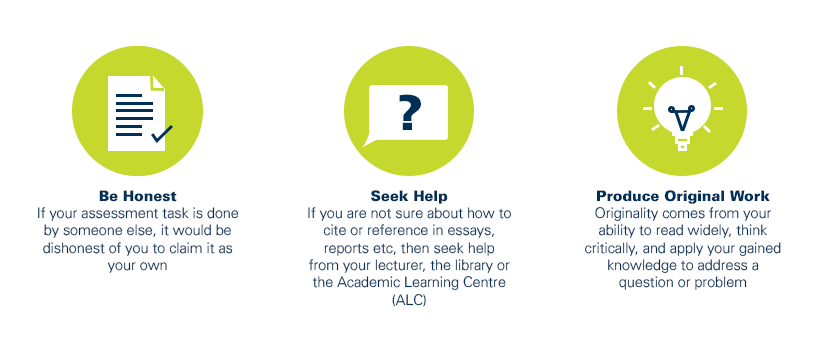
As a CQUniversity student you are expected to act honestly in all aspects of your academic work.
Any assessable work undertaken or submitted for review or assessment must be your own work. Assessable work is any type of work you do to meet the assessment requirements in the unit, including draft work submitted for review and feedback and final work to be assessed.
When you use the ideas, words or data of others in your assessment, you must thoroughly and clearly acknowledge the source of this information by using the correct referencing style for your unit. Using others’ work without proper acknowledgement may be considered a form of intellectual dishonesty.
Participating honestly, respectfully, responsibly, and fairly in your university study ensures the CQUniversity qualification you earn will be valued as a true indication of your individual academic achievement and will continue to receive the respect and recognition it deserves.
As a student, you are responsible for reading and following CQUniversity’s policies, including the Student Academic Integrity Policy and Procedure. This policy sets out CQUniversity’s expectations of you to act with integrity, examples of academic integrity breaches to avoid, the processes used to address alleged breaches of academic integrity, and potential penalties.
What is a breach of academic integrity?
A breach of academic integrity includes but is not limited to plagiarism, self-plagiarism, collusion, cheating, contract cheating, and academic misconduct. The Student Academic Integrity Policy and Procedure defines what these terms mean and gives examples.
Why is academic integrity important?
A breach of academic integrity may result in one or more penalties, including suspension or even expulsion from the University. It can also have negative implications for student visas and future enrolment at CQUniversity or elsewhere. Students who engage in contract cheating also risk being blackmailed by contract cheating services.
Where can I get assistance?
For academic advice and guidance, the Academic Learning Centre (ALC) can support you in becoming confident in completing assessments with integrity and of high standard.
What can you do to act with integrity?