Overview
This unit will teach you how to develop application software (apps) for mobile devices, building on your knowledge of programming, user experience design and web technologies. You will learn about key features of the mobile industry, mobile technologies, mobile devices and mobile platforms. Through a combination of theory and practice, you will learn how to develop and optimise content for mobile devices, and how to create user interfaces and navigation controls. You will design, implement, test and debug mobile applications using industry-standard software tools and cross-platform application programming interfaces (APIs).
Details
Pre-requisites or Co-requisites
Prerequisite: (DGTL11006 Coding Fundamentals AND DGTL11005 Web Design) OR MMST11002 Web Design Students who have completed DGTL13002 Mobile Application Development may not enrol in this unit
Important note: Students enrolled in a subsequent unit who failed their pre-requisite unit, should drop the subsequent unit before the census date or within 10 working days of Fail grade notification. Students who do not drop the unit in this timeframe cannot later drop the unit without academic and financial liability. See details in the Assessment Policy and Procedure (Higher Education Coursework).
Offerings For Term 2 - 2026
Attendance Requirements
All on-campus students are expected to attend scheduled classes - in some units, these classes are identified as a mandatory (pass/fail) component and attendance is compulsory. International students, on a student visa, must maintain a full time study load and meet both attendance and academic progress requirements in each study period (satisfactory attendance for International students is defined as maintaining at least an 80% attendance record).
Recommended Student Time Commitment
Each 6-credit Undergraduate unit at CQUniversity requires an overall time commitment of an average of 12.5 hours of study per week, making a total of 150 hours for the unit.
Class Timetable
Assessment Overview
Assessment Grading
This is a graded unit: your overall grade will be calculated from the marks or grades for each assessment task, based on the relative weightings shown in the table above. You must obtain an overall mark for the unit of at least 50%, or an overall grade of 'pass' in order to pass the unit. If any 'pass/fail' tasks are shown in the table above they must also be completed successfully ('pass' grade). You must also meet any minimum mark requirements specified for a particular assessment task, as detailed in the 'assessment task' section (note that in some instances, the minimum mark for a task may be greater than 50%). Consult the University's Grades and Results Policy for more details of interim results and final grades.
All University policies are available on the CQUniversity Policy site.
You may wish to view these policies:
- Grades and Results Policy
- Assessment Policy and Procedure (Higher Education Coursework)
- Review of Grade Procedure
- Student Academic Integrity Policy and Procedure
- Academic Progression Policy and Procedure
- Student Refund and Credit Balance Policy and Procedure
- Complaints Policy and Procedure
- Information and Communications Technology Acceptable Use Policy and Procedure
This list is not an exhaustive list of all University policies. The full list of University policies are available on the CQUniversity Policy site.
Feedback, Recommendations and Responses
Every unit is reviewed for enhancement each year. At the most recent review, the following staff and student feedback items were identified and recommendations were made.
Feedback from Email
Maintain the current structure and, where possible, enable students to publish their mobile app.
The final assessment task requires students to develop a mobile app prototype. Students are welcome to publish the completed mobile app once the final grade has been released.
- explain key features of the mobile industry, mobile technologies, mobile devices and mobile platforms
- develop and optimise content for mobile devices
- create user interfaces and navigation controls for mobile applications
- design, implement, test and debug mobile applications.
Not applicable
Alignment of Assessment Tasks to Learning Outcomes
| Assessment Tasks | Learning Outcomes | |||
|---|---|---|---|---|
| 1 | 2 | 3 | 4 | |
| 1 - Written Assessment - 40% | ||||
| 2 - Practical Assessment - 60% | ||||
Alignment of Graduate Attributes to Learning Outcomes
| Graduate Attributes | Learning Outcomes | |||
|---|---|---|---|---|
| 1 | 2 | 3 | 4 | |
| 1 - Communication | ||||
| 2 - Problem Solving | ||||
| 3 - Critical Thinking | ||||
| 4 - Information Literacy | ||||
| 5 - Team Work | ||||
| 6 - Information Technology Competence | ||||
| 7 - Cross Cultural Competence | ||||
| 8 - Ethical practice | ||||
| 9 - Social Innovation | ||||
| 10 - First Nations Knowledges | ||||
| 11 - Aboriginal and Torres Strait Islander Cultures | ||||
Alignment of Assessment Tasks to Graduate Attributes
| Assessment Tasks | Graduate Attributes | ||||||||||
|---|---|---|---|---|---|---|---|---|---|---|---|
| 1 | 2 | 3 | 4 | 5 | 6 | 7 | 8 | 9 | 10 | 11 | |
| 1 - Written Assessment - 40% | |||||||||||
| 2 - Practical Assessment - 60% | |||||||||||
Textbooks
Full-Stack React, TypeScript, and Node: Build cloud-ready web applications using React 17 with Hooks and GraphQL
- Edition: 1st (2020)
- Authors: Muka, F
- Packt Publishing
- Birmingham Birmingham
- ISBN: 9781839219931
Professional Mobile Application Development
- (2012)
- Authors: McWherter, J. and Gowell, S
- John Wiley & Sons
- ISBN: 9781118203903
IT Resources
- CQUniversity Student Email
- Internet
- Unit Website (Moodle)
- React
- Figma
- Node.js, current LTS version
- Visual Studio Code, latest version
- Ionic Framework and Ionic CLI
- Adobe Express, free version, or similar design tool
- Capacitor (Optional)
- Android Studio, latest version (Optional)
- GitHub and GitHub Desktop for version control and project submission (Optional)
- Adobe Creative Cloud student subscription recommended (Optional)
All submissions for this unit must use the referencing style: American Psychological Association 7th Edition (APA 7th edition)
For further information, see the Assessment Tasks.
r.johnluan@cqu.edu.au
Week 1
Begin Date: 13 Jul 2026Module/Topic
Introduction to Mobile Application Development
Assignment one briefing
Tutorial:
i. Software setup and project workflow
ii. Exploring the starter mobile application
Chapter
Study Guide chapter 1
Events and Submissions/Topic
Week 2
Begin Date: 20 Jul 2026Module/Topic
Mobile Application Development: Audiences, marketplace and opportunities
Tutorial:
i. Introduction to Ionic React
ii. Reviewing contemporary mobile app examples
Chapter
Study Guide chapter 2
Events and Submissions/Topic
Week 3
Begin Date: 27 Jul 2026Module/Topic
Mobile platforms, interface structure and introductory app development
Tutorial:
i. Create a simple app using Ionic React
ii. UI components, layout and navigation controls
iii. Buttons, cards and introductory styling
Chapter
Study Guide chapter 3
Events and Submissions/Topic
Week 4
Begin Date: 03 Aug 2026Module/Topic
Design Specification Document: Concept development, ideation and navigation planning
Tutorial:
i. Theming and visual identity
ii. Screen planning and wireframing
Chapter
Study Guide chapter 4
Events and Submissions/Topic
Week 5
Begin Date: 10 Aug 2026Module/Topic
UX Design for Mobile: Usability, guided interaction and interface prototyping
Tutorial:
i. Designing mobile user interfaces using prototype tools
ii. Interface clarity, flow and user input planning
Chapter
Study Guide chapter 5
Events and Submissions/Topic
Week 6
Begin Date: 17 Aug 2026Module/Topic
Prototyping: Design refinement, peer feedback and user testing
Tutorial:
i. Lists, forms and structured content
ii. Prototype review and refinement
Chapter
Study Guide chapter 6
Events and Submissions/Topic
Assignment 1 Due
Design Specification Document, Mobile User Interface Design Prototype, and Online Peer Feedback Due: Week 6 Friday (21 Aug 2026) 11:45 pm AEST
Vacation Week
Begin Date: 24 Aug 2026Module/Topic
Chapter
Events and Submissions/Topic
Week 7
Begin Date: 31 Aug 2026Module/Topic
General principles and best practices for interactive mobile applications
Assignment two briefing
Tutorial:
i. Adding functionality with JavaScript and event handlers
ii. Preparing interface behaviours and simple interactions
Chapter
Study Guide chapter 7
Events and Submissions/Topic
Week 8
Begin Date: 07 Sep 2026Module/Topic
Mobile Application Development Lifecycle
Tutorial:
i. Application workflows and structured mobile content
ii. Building simple task-based and assistive features
Chapter
Study Guide chapter 8
Events and Submissions/Topic
Week 9
Begin Date: 14 Sep 2026Module/Topic
Contemporary mobile experiences: Assistive features and user support patterns
Tutorial:
i. Reviewing feedback from Assignment 1
ii. Personalisation, memory and lightweight support features
Chapter
Study Guide chapter 9
Events and Submissions/Topic
Week 10
Begin Date: 21 Sep 2026Module/Topic
Testing the mobile application
Tutorial:
i. Testing, debugging and interface refinement
ii. Creating supporting visual and communication assets
Chapter
Study Guide chapter 10
Events and Submissions/Topic
Week 11
Begin Date: 28 Sep 2026Module/Topic
Brand identity, communication assets and release preparation
Tutorial:
i. Writing the creative statement and resource justification
ii. Optional tutorial: packaging and deployment
Chapter
Study Guide chapter 11
Events and Submissions/Topic
Week 12
Begin Date: 05 Oct 2026Module/Topic
Review Week
Tutorial:
i. Final prototype presentation and submission preparation
ii. Final checks, testing review and showcase readiness
Chapter
Study Guide chapter 12
Events and Submissions/Topic
Assignment 2 Due
Interactive Mobile Application Prototype, Communication Package, and Creative Statement and Resource Justification Due: Week 12 Friday (9 Oct 2026) 11:59 pm AEST
Exam Week
Begin Date: 12 Oct 2026Module/Topic
Chapter
Events and Submissions/Topic
Vacation/Exam Week
Begin Date: 19 Oct 2026Module/Topic
Chapter
Events and Submissions/Topic
72-Hour Grace Period for Assessment Tasks
While effective communication, planning, and time management are important professional skills for digital media professionals, we recognise that unexpected challenges can sometimes arise. To help accommodate these situations, a 72-hour grace period applies to all assessment tasks in DGTL12008. This means that you may submit your assessment up to 72 hours after the due date without penalty and without needing to submit an extension request.
However, if you are experiencing difficulties that may impact your studies, you are strongly encouraged to contact the Unit Coordinator as early as possible. The teaching team is here to support you, but we can only help if we are aware that there is a problem.
If you require more than 72 hours beyond the assessment due date, you will need to apply for an extension through the University's Assessment Extension System using the standard process.
1 Written Assessment
Students develop a design specification and interface prototype for a mobile application that addresses a defined user need. The submission includes functional requirements, navigation planning, interface design, and peer feedback. The task emphasises concept development, user experience, and design communication.
Assignment 1 consists of three distinct tasks:
- Task A: Design Specification Document
- Task B: Mobile User Interface Design Prototype
- Task C: Online Peer Feedback
Task A: Design Specification Document (1500-2000 words)
In this task, you will develop a comprehensive Design Specification Document that serves as the foundation for the prototype mobile application in Assignment 2. The mobile application should cater to one of the following areas: education, business, industry work-cycle, lifestyle (e.g., fitness, food, travel), gaming or innovation mobile application. If you wish to propose another category, please confirm it with your unit coordinator.
The document should be created in Microsoft Word or a similar tool and have a word count between 1500-2000 words. It must be professionally presented, including a title page with unit code and name, Assignment number and title, student name, student number, and due date. The proposal should include document header and footer with page numbers, logical headings, and sub-headings, and includes sections such as :
- Introduction
- Functional Requirements
- Navigation Map
- Prototype User Interface Design (refer to Task B)
- Schedule/Timeline
- References
- Appendix (refer to Task C)
Task B: Mobile User Interface Design Prototype
Building upon the information from Task A, you will design and develop a user interface for the mobile application you plan to prototype in Assignment 2. You may use any prototyping tool of your choice, provided that it allows you to share your design online and receive feedback from your peers.
We recommend using Figma for this activity due to its ease of use, accessibility, and built-in collaboration features. If you prefer to use another prototyping tool, please ensure it supports online access and commenting. If you're unsure about your selected tool’s suitability, consult your tutor or Unit Coordinator.
Task C: Online Peer Feedback
For the final task, post the link to your mobile user interface design prototype (Task B) using the dedicated forum on the DGTL12008 unit website. This enables peers to review your prototype and leave meaningful feedback. Ensure the link to your prototype is accessible to your classmates
In addition to sharing your prototype, you must write a 150-300-word review for three (3) peers, addressing the following questions:
- Is the mobile app aesthetically pleasing and minimalist?
- Does the mobile app provide a good user experience?
- Does the mobile app offer users control and freedom?
- Are the images, icons, buttons and instructions intuitive?
- Any suggestions for improving the user experience?
To meet the expected level of detail for a future developer, make sure to justify your decisions, follow task guidelines, utilise APA referencing, and carefully proofread your work.
Use of Generative Artificial Intelligence agents (Gen AI)
AI Assessment scale tool:
Level 1: You must not use AI at any point during the assessment. You must demonstrate your core skills and knowledge. Any misuse or lack of disclosure regarding the use of AI tools will be considered a breach of academic integrity.
If you are unsure, ask the Unit Coordinator.
Please note: The 72-Hour grace period applies to this assessment task. If you need longer than 72 hours, you will still need to use the normal Assessment Extension System process.
Week 6 Friday (21 Aug 2026) 11:45 pm AEST
Within 14 days of submission.
Task A: Design Specification Document (20 marks)
- Introduction and user need: The app purpose, target user, and design problem are clearly explained.
- Platform and project scope: The proposed mobile platform or cross-platform approach is appropriate and
realistic for the project. - Functional requirements and content structure: Core features, content areas, and intended interactions are
clearly identified and aligned to the user need. - Flow chart or navigation map: The app structure is logical, easy to follow, and suitable for mobile use.
- Application interface design direction: Visual style, layout direction, interface components, and screen
intentions are communicated clearly. - Project planning and timeline: The schedule shows realistic development planning and an understanding of
the production process. - Presentation and referencing: The document is clearly organised, professionally presented, and uses APA
referencing appropriately.
Task B: Mobile User Interface Design Prototype (12.5 marks)
- Originality: The concept demonstrates a clear and original direction within the chosen app context.
- Completeness of prototype screens and interface elements: The prototype includes the main screens, core
flow, and sufficient interface detail to support practical development. - User experience: The design shows good mobile usability, clear interaction flow, and appropriate user
guidance. - Interface design: Typography, spacing, colour, icons, buttons, cards, and visual consistency support the
intended purpose. - Visual metaphor and communication: The prototype uses a clear and suitable visual language for the
target audience and app purpose.
Task C: Online Peer Feedback (7.5 marks)
- Adherence to the required discussion topics: Feedback addresses the required review points and responds
appropriately to the work shared. - Quality and completeness of peer feedback: Feedback is constructive, relevant, and complete. The student
provides three peer reviews of 150 to 300 words each and demonstrates thoughtful engagement with the
work of others.
This assessment carries a total of 40 marks
- explain key features of the mobile industry, mobile technologies, mobile devices and mobile platforms
- create user interfaces and navigation controls for mobile applications
- design, implement, test and debug mobile applications.
- Communication
- Problem Solving
- Critical Thinking
- Information Literacy
- Information Technology Competence
- Cross Cultural Competence
- Ethical practice
2 Practical Assessment
Assignment 2 requires you to refine and build the interactive mobile application proposed in Assignment
1. The app should respond to a clearly defined user need and demonstrate effective mobile interface
design, structured navigation, appropriate content, and usable interactive features. This task builds directly
on the planning, prototyping, and feedback completed earlier in the term.
Assignment 2 consists of three related tasks:
- Task A: Interactive Mobile Application Prototype
- Task B: Communication Package
- Task C: Creative Statement and Resource Justification
Task A: Interactive Mobile Application Prototype
In Task A, you will create a working prototype of your mobile application using the approved cross-platform
workflow for this unit. The prototype should include clear navigation, coherent content, and functional
interface elements such as buttons, menus, forms, cards, lists, or other suitable interaction patterns. Where
appropriate to the project concept, the app may also include guided assistance, personalised content,
lightweight task support, or simple user support features.
Your mobile app should include:
- A logical, consistent, and usable navigation system.
- Content that aligns with the purpose of your mobile application.
- Intuitive elements such as menus, buttons, icons and images with a minimalist design aesthetic for clarity.
- An interactive form for user information input.
Ensure that the content, commands, and information layout in your mobile app match the chosen mobile operating system. Design elements, including images, fonts, colours, shapes, and textures, should be consistent with the mobile application theme.
More information about this task can be found on the unit website.
Task B: Communication Package
In Task B, you will create a small communication package to present and promote your mobile application. This package should support the visual identity of the app and communicate its purpose clearly to the intended audience.
The communication package may include selected branded assets and short promotional materials appropriate to the project scope. Examples may include an application icon, splash screen, promotional graphic, app preview screen, short presentation media, or other suitable communication materials approved by the Unit Coordinator.
All communication materials should be original, visually consistent with the app, and appropriate for mobile presentation. Students should focus on clarity, coherence, and suitability for the target audience.
Further details regarding acceptable formats and submission requirements will be provided on Moodle.
Task C: Creative Statement and Resource Justification (500-1000 words)
In Task C, you will submit a short creative statement and resource justification explaining your design decisions, branding choices, workflow, testing approach, and the tools or resources used in the project. You should explain how your selected resources supported the project outcome and identify any limitations, constraints, or challenges encountered during development.
To meet the expected level of detail for a future developer, make sure to justify your decisions, follow task guidelines, utilise APA referencing, and carefully proofread your work.
Assignment 2 Presentation and Submission
The Assignment must be submitted electronically through the unit website. You must upload the following files:
1. A ZIP file containing the files for your interactive mobile application prototype (Task A).
2. A ZIP file, folder, or approved set of files containing your communication package materials (Task B).
3. A Microsoft Word document containing your Creative Statement and Resource Justification (Task C).
File naming conventions and detailed submission requirements will be provided on Moodle.
Use of Generative Artificial Intelligence agents (Gen AI)
AI Assessment scale tool:
AI Assessment Scale: Level 3
You may use AI to assist with specific tasks such as drafting text, refining, and evaluating your work. You must critically evaluate and modify any AI-generated content. Any misuse or lack of disclosure regarding AI tools will be considered a breach of academic integrity.
You may use AI to assist with specific tasks such as assisting with coding/debugging, generating concepts, refining and evaluating your work.
If you are unsure, ask the Unit Coordinator.
Please note: The 72-Hour grace period applies to this assessment task. If you need longer than 72 hours, you will still need to use the normal Assessment Extension System process.
Week 12 Friday (9 Oct 2026) 11:59 pm AEST
Within 14 days of submission
Concept and user focus (5 marks)
- Clear and well-defined concept for the mobile application prototype.
- Demonstrates a clear understanding of the user need, problem, or opportunity being addressed.
- Provides a suitable rationale for the app’s purpose and target audience.
Functionality and app workflow (15 marks)
- The mobile application prototype effectively fulfills its intended purpose.
- Key features and core interactions are implemented and functional.
- Navigation and user flow are logical, clear, and suitable for mobile use.
- Any guided assistance, personalised content, or simple user support features are integrated meaningfully where appropriate.
Interface design and usability (15 marks)
- The interface is visually coherent and appropriate for the intended audience and app purpose.
- Layout, spacing, typography, colour, icons, and screen hierarchy support readability and usability.
- The application demonstrates consistent visual design across screens.
- User interactions are intuitive and the app is easy to understand and use on a mobile device.
- The design supports clear task completion and a positive user experience.
Code and technical implementation (10 marks)
- Code implementation is organised, functional, and appropriate to the level of the unit.
- Demonstrates reasonable use of coding conventions, structure, and commenting where appropriate.
- Demonstrates understanding of any starter code, templates, or third-party snippets used in the project.
- Testing, debugging, and refinement are evident in the final prototype.
Brand identity and communication package (10 marks)
- Brand elements are clear, consistent, and suitable for the app’s purpose and audience.
- Visual identity such as app name, icon, colour palette, typography, and screen styling is applied
consistently. - Any communication assets, such as splash screen, promotional graphic, app preview material, or short
presentation media, are appropriate to the project scope. - Communication materials present the app clearly and professionally.
- The overall package supports the app’s identity and presentation.
Creative statement and resource justification (5 marks)
- The justification of resources demonstrates a thoughtful selection process in relation to the project goals.
- Resources, tools, and design choices are explained clearly and appropriately.
- The student demonstrates understanding of how the selected resources contributed to the project
outcome. - Limitations, constraints, or challenges are acknowledged realistically.
This assessment carries a total of 60 marks.
- explain key features of the mobile industry, mobile technologies, mobile devices and mobile platforms
- develop and optimise content for mobile devices
- create user interfaces and navigation controls for mobile applications
- design, implement, test and debug mobile applications.
- Communication
- Problem Solving
- Critical Thinking
- Information Literacy
- Information Technology Competence
- Cross Cultural Competence
- Ethical practice
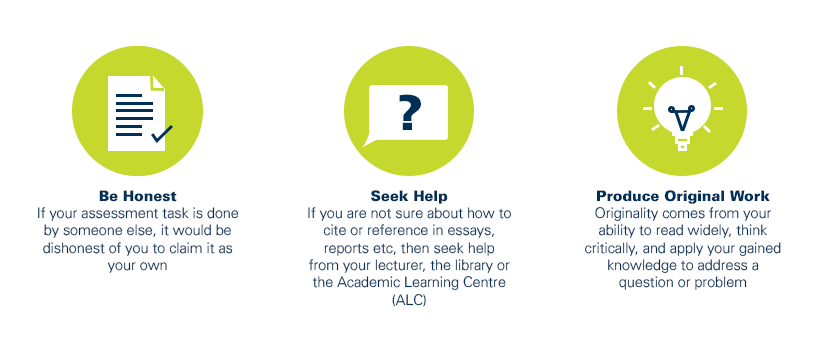
As a CQUniversity student you are expected to act honestly in all aspects of your academic work.
Any assessable work undertaken or submitted for review or assessment must be your own work. Assessable work is any type of work you do to meet the assessment requirements in the unit, including draft work submitted for review and feedback and final work to be assessed.
When you use the ideas, words or data of others in your assessment, you must thoroughly and clearly acknowledge the source of this information by using the correct referencing style for your unit. Using others’ work without proper acknowledgement may be considered a form of intellectual dishonesty.
Participating honestly, respectfully, responsibly, and fairly in your university study ensures the CQUniversity qualification you earn will be valued as a true indication of your individual academic achievement and will continue to receive the respect and recognition it deserves.
As a student, you are responsible for reading and following CQUniversity’s policies, including the Student Academic Integrity Policy and Procedure. This policy sets out CQUniversity’s expectations of you to act with integrity, examples of academic integrity breaches to avoid, the processes used to address alleged breaches of academic integrity, and potential penalties.
What is a breach of academic integrity?
A breach of academic integrity includes but is not limited to plagiarism, self-plagiarism, collusion, cheating, contract cheating, and academic misconduct. The Student Academic Integrity Policy and Procedure defines what these terms mean and gives examples.
Why is academic integrity important?
A breach of academic integrity may result in one or more penalties, including suspension or even expulsion from the University. It can also have negative implications for student visas and future enrolment at CQUniversity or elsewhere. Students who engage in contract cheating also risk being blackmailed by contract cheating services.
Where can I get assistance?
For academic advice and guidance, the Academic Learning Centre (ALC) can support you in becoming confident in completing assessments with integrity and of high standard.
What can you do to act with integrity?