Overview
This unit will provide you with the foundation knowledge of computer and network infrastructure that underpins Information and Communication Technologies (ICT) in modern organisations. You will study networking essentials including virtualisation, wireless networks, cloud computing, cyber security, and risk management. By the end of this unit, you will be able to build and manage basic computer networks. You will conduct hands-on practical activities with industrial-grade networking equipment and cyber security tools to enhance the security of built networks.
Details
Pre-requisites or Co-requisites
Anti-requisite: If students have undertaken COIT11233 Information and Communication Technology Foundations, then this unit should not be taken.
Important note: Students enrolled in a subsequent unit who failed their pre-requisite unit, should drop the subsequent unit before the census date or within 10 working days of Fail grade notification. Students who do not drop the unit in this timeframe cannot later drop the unit without academic and financial liability. See details in the Assessment Policy and Procedure (Higher Education Coursework).
Offerings For Term 1 - 2026
Attendance Requirements
All on-campus students are expected to attend scheduled classes - in some units, these classes are identified as a mandatory (pass/fail) component and attendance is compulsory. International students, on a student visa, must maintain a full time study load and meet both attendance and academic progress requirements in each study period (satisfactory attendance for International students is defined as maintaining at least an 80% attendance record).
Recommended Student Time Commitment
Each 6-credit Undergraduate unit at CQUniversity requires an overall time commitment of an average of 12.5 hours of study per week, making a total of 150 hours for the unit.
Class Timetable
Assessment Overview
Assessment Grading
This is a graded unit: your overall grade will be calculated from the marks or grades for each assessment task, based on the relative weightings shown in the table above. You must obtain an overall mark for the unit of at least 50%, or an overall grade of 'pass' in order to pass the unit. If any 'pass/fail' tasks are shown in the table above they must also be completed successfully ('pass' grade). You must also meet any minimum mark requirements specified for a particular assessment task, as detailed in the 'assessment task' section (note that in some instances, the minimum mark for a task may be greater than 50%). Consult the University's Grades and Results Policy for more details of interim results and final grades.
All University policies are available on the CQUniversity Policy site.
You may wish to view these policies:
- Grades and Results Policy
- Assessment Policy and Procedure (Higher Education Coursework)
- Review of Grade Procedure
- Student Academic Integrity Policy and Procedure
- Academic Progression Policy and Procedure
- Student Refund and Credit Balance Policy and Procedure
- Complaints Policy and Procedure
- Information and Communications Technology Acceptable Use Policy and Procedure
This list is not an exhaustive list of all University policies. The full list of University policies are available on the CQUniversity Policy site.
Feedback, Recommendations and Responses
Every unit is reviewed for enhancement each year. At the most recent review, the following staff and student feedback items were identified and recommendations were made.
Feedback from Teaching team feedback.
Student engagement in the unit varies across activities, with opportunities to further strengthen active participation.
In-class test activities could be considered to enhance the students' engagement.
Feedback from Students and unit coordinator's feedback
Some tutorial questions could be refreshed to better align with the current unit content and evolving networking practices, helping maintain the unit’s relevance and quality.
Review the tutorial question sets and update or replace outdated items to reflect current networking practice and real-world applications.
- Explain the role of hardware and software components in computer networks
- Recognise the importance of protocols, standards, and layered architectures in building computer networks
- Explain the selection of network components, topologies, and technologies to meet business requirements
- Describe challenges and solutions in securing computer networks and infrastructure
- Interpret the use of forwarding and encapsulation to deliver data securely in computer networks
- Discuss techniques for managing cyber security, documenting, and troubleshooting computer networks.
The Australian Computer Society (ACS), the professional association for Australia's ICT sector, recognises the Skills Framework for the Information Age (SFIA). SFIA is adopted by organisations, governments, and individuals in many countries and provides a widely used and consistent definition of ICT skills. SFIA is increasingly being used when developing job descriptions and role profiles. ACS members can use the tool MySFIA to build a skills profile.
This unit contributes to the following workplace skills as defined by SFIA 8 (the SFIA code is included):
- Network Support (NTAS)
- IT Infrastructure (ITOP)
- Security Administration (SCAD)
- Systems Installation/Decommissioning (HSIN)
- Problem Management (PBMG)
- Information Security (SCTY).
The National Initiative for Cybersecurity Education (NICE) Framework defines knowledge, skills and tasks needed to perform various cyber security roles. Developed by the National Institute of Standards and Technology (NIST), the NICE Framework is used by organisations to plan their workforce, including recruit into cyber security positions.
This unit helps prepare you for roles such as Systems Security Analyst, Network Operations Specialist and Systems Administrator, contributing to the following knowledge and skills:
- K0001 Knowledge of computer networking concepts and protocols, and network security methodologies.
- K0010 Knowledge of communication methods, principles, and concepts that support the network infrastructure.
- K0011 Knowledge of capabilities and applications of network equipment including routers, switches, bridges, servers, transmission media, and related hardware.
- K0029 Knowledge of organization's Local and Wide Area Network connections.
- K0050 Knowledge of local area and wide area networking principles and concepts including bandwidth management.
- K0053 Knowledge of measures or indicators of system performance and availability.
- K0060 Knowledge of operating systems.
- K0061 Knowledge of how traffic flows across the network (e.g., Transmission Control Protocol [TCP] and Internet Protocol [IP], Open System Interconnection Model [OSI], Information Technology Infrastructure Library, current version [ITIL]).
- K0071 Knowledge of remote access technology concepts.
- K0077 Knowledge of server and client operating systems.
- K0108 Knowledge of concepts, terminology, and operations of a wide range of communications media (computer and telephone networks, satellite, fiber, wireless).
- K0111 Knowledge of network tools (e.g., ping, traceroute, nslookup)
- K0113 Knowledge of different types of network communication (e.g., LAN, WAN, MAN, WLAN, WWAN).
- K0136 Knowledge of the capabilities of different electronic communication systems and methods (e.g., e-mail, VOIP, IM, web forums, Direct Video Broadcasts).
- K0137 Knowledge of the range of existing networks (e.g., PBX, LANs, WANs, WIFI, SCADA).
- K0138 Knowledge of Wi-Fi.
- K0332 Knowledge of network protocols such as TCP/IP, Dynamic Host Configuration, Domain Name System (DNS), and directory services.
- S0033 Skill in diagnosing connectivity problems.
- S0035 Skill in establishing a routing schema.
- S0041 Skill in installing, configuring, and troubleshooting LAN and WAN components such as routers, hubs, and switches.
- S0073 Skill in using virtual machines. (e.g., Microsoft Hyper-V, VMWare vSphere, Citrix XenDesktop/Server, Amazon Elastic Compute Cloud, etc.).
- S0151 Skill in troubleshooting failed system components (i.e., servers)
- S0154 Skill in installing system and component upgrades. (i.e., servers, appliances, network devices).
Alignment of Assessment Tasks to Learning Outcomes
| Assessment Tasks | Learning Outcomes | |||||
|---|---|---|---|---|---|---|
| 1 | 2 | 3 | 4 | 5 | 6 | |
| 1 - Online Quiz(zes) - 30% | ||||||
| 2 - Written Assessment - 30% | ||||||
| 3 - Portfolio - 40% | ||||||
Alignment of Graduate Attributes to Learning Outcomes
| Graduate Attributes | Learning Outcomes | |||||
|---|---|---|---|---|---|---|
| 1 | 2 | 3 | 4 | 5 | 6 | |
| 1 - Communication | ||||||
| 2 - Problem Solving | ||||||
| 3 - Critical Thinking | ||||||
| 4 - Information Literacy | ||||||
| 5 - Team Work | ||||||
| 6 - Information Technology Competence | ||||||
| 7 - Cross Cultural Competence | ||||||
| 8 - Ethical practice | ||||||
| 9 - Social Innovation | ||||||
| 10 - First Nations Knowledges | ||||||
| 11 - Aboriginal and Torres Strait Islander Cultures | ||||||
Textbooks
Guide to Networking Essentials
- Edition: 8 (2019)
- Authors: Greg Tomsho
- Cengage
- ISBN: 978-0-3571-1828-3
IT Resources
- CQUniversity Student Email
- Internet
- Unit Website (Moodle)
- Microsoft Windows on CQU Lab computer and/or personal computer
- Microsoft Azure Account
- PowerShell
- A second computer, WiFi device, wireless router, cables [DST students only]
All submissions for this unit must use the referencing style: Harvard (author-date)
For further information, see the Assessment Tasks.
s.d.gordon@cqu.edu.au
Week 1
Begin Date: 09 Mar 2026Module/Topic
Computers and the Internet
Chapter
Events and Submissions/Topic
Attend your scheduled lecture class.
Complete the Week 1 Tutorial activities in your own time as there is no tutorial class this week (tutorial classes will start in Week 2).
Week 2
Begin Date: 16 Mar 2026Module/Topic
Networking Basics
Chapter
Events and Submissions/Topic
Attend your scheduled lecture class and tutorial class.
Week 3
Begin Date: 23 Mar 2026Module/Topic
Addressing Basics
Chapter
Events and Submissions/Topic
You must attend Week 3 tutorial to build, test and demonstrate your first simple network.
Portfolio 1 due Friday 27 March 2026 11:45 PM AEST
Week 4
Begin Date: 30 Mar 2026Module/Topic
Web Browsing
Chapter
Events and Submissions/Topic
Week 5
Begin Date: 06 Apr 2026Module/Topic
Network Technologies
Chapter
Events and Submissions/Topic
Week 6
Begin Date: 13 Apr 2026Module/Topic
The Internet Protocol
Chapter
Events and Submissions/Topic
You must attend Week 6 tutorial to build, test and demonstrate your LAN.
Portfolio 2 due Friday 17 April 2026 11:45 PM AEST
Mid-Term Break
Begin Date: 20 Apr 2026Module/Topic
Chapter
Events and Submissions/Topic
Week 7
Begin Date: 27 Apr 2026Module/Topic
Network Protocols and Architectures
Chapter
Events and Submissions/Topic
Quiz 1 due Friday 1 May 2026 11:45 PM AEST
Week 8
Begin Date: 04 May 2026Module/Topic
Wireless Networks
Chapter
Events and Submissions/Topic
You must attend Week 8 tutorial to build, test and demonstrate your IP network.
Week 9
Begin Date: 11 May 2026Module/Topic
Cyber Security Basics
Chapter
Events and Submissions/Topic
You must attend Week 9 tutorial to build, test and demonstrate your wireless network.
Portfolio 3 due Friday 15 May 2026 11:45 PM AEST
Week 10
Begin Date: 18 May 2026Module/Topic
WANs and Cloud Computing
Chapter
Events and Submissions/Topic
Week 11
Begin Date: 25 May 2026Module/Topic
Network Management
Chapter
Events and Submissions/Topic
Week 12
Begin Date: 01 Jun 2026Module/Topic
Careers in Networking and Cyber Security
Chapter
Events and Submissions/Topic
You must attend Week 12 tutorial to undertake Quiz 2 in-class.
Communicating with Staff
You should use your lecture and tutorial classes as the first point of contact with teaching staff. Ask your lecturer/tutor questions in class each week.
Outside of class times, you are encouraged to ask questions in Microsoft Teams. A link to the unit Teams site is available in the "Learning Community" tile on Moodle. You may post a question at anytime in the Teams General channel. All staff and students can see posts in the General channel, so avoid posting personal information (such as phone numbers or your assessment solutions). The teaching team will try to respond to Teams posts as soon as possible, often within an hour during work days and with an aim of within 24 hours. While response times by staff over weekends may be longer (and may not be until Monday morning), other students may respond to your question as well.
Avoid using private chat to contact staff members in Teams. Instead, post in the General channel so all staff and students can see and potentially respond to your question, and so the answer can be shared with all students. If you have a private matter that you do not want to share with others, then contact the Unit Coordinator via email. However if you ask questions about the unit content via email, then response may take longer than if using Teams, and the staff may choose to reply via Teams (so all students see the answer).
Unit Coordinator
The Unit Coordinator is: Dr Steven Gordon. He is based in CQU Cairns campus and preferred method of contact is email: s.d.gordon@cqu.edu.au. He can also be reached via phone: 07 4037 4782.
Microsoft Azure and Microsoft Learn On Demand Account
You are expected to use Microsoft Azure and Microsoft Learn On Demand in this unit. You will need to create an account (if you do not already have one). Instructions for doing so will be provided on Moodle.
CQUniversity uses Microsoft Learn On Demand to provide you free access to Microsoft Azure cloud services and training activities. The Microsoft Learn On Demand website and Microsoft Azure cloud services may be hosted overseas (including the United States). In setting up an account and using the cloud services, you will be transferring personal information to Microsoft. While there is some risk in transferring your personal information overseas, we believe the benefits to you far outweigh the risk. You will gain experience using an industry leading cloud service, gain access to Microsoft-developed learning resources, and prepare yourself to undertake industry certifications, such as Microsoft Azure Fundamentals AZ900. If you have concerns with using Microsoft Learn On Demand or Microsoft Azure, please contact the Unit Coordinator to discuss options.
Required Networking Equipment
In this unit you will conduct lab exercises with actual networking equipment.
On-campus students will use the provided equipment in the ICT computer lab; they do not need to prepare any special equipment.
Online students (i.e. studying in Distance mode) will need the following recommended equipment before Week 3 tutorial:
- 2 x PCs with Ethernet
- 1 x Wi-Fi device
- 1 x Wireless Router
- 2 x Ethernet cables
This equipment is defined in further detail below. If you do not have the recommended equipment, you are advised to purchase it. If buying the equipment is not possible, there are other options. For advice on whether your existing equipment is suitable, which equipment to purchase, or what other options are available, see the Moodle site or contact the Unit Coordinator.
PC with Ethernet: A desktop or laptop computer with a wired Ethernet port (LAN port or NIC). Alternatively, a low-cost computer such as a Raspberry Pi could be used if it has a wired Ethernet port. You can purchase a USB-to-Ethernet adapter if your laptop computer does not have a wired Ethernet port.
Wi-Fi device: a laptop or mobile phone (or any other computing device with Wi-Fi, such as a Raspberry Pi 3 or 4).
Ethernet cable: a LAN cable with RJ45 connectors on both ends.
Wireless Router: A network device that supports Wi-Fi, has an in-built Ethernet switch (e.g. 4 ports) and acts as a router. We highly recommend TP-Link wireless routers with the suggested models given below. A modem router typically provided by your Internet Service Provider for NBN/DSL home Internet is unsuitable. A standalone wireless router (that does not have an in-built NBN/DSL modem) is required to complete all lab activities. You are suggested to purchase one of the following, depending on their availability and your budget:
- TP-Link Archer C24 or C20 (available in many online stores and some physical stores, e.g., OfficeWorks, Bunnings, for $50 to $70)
- TP-Link Archer C54 or C50 (similar to above, but may be slightly more expensive yet more widely available)
These wireless routers are suggested because they have features necessary for the lab activities, are cheap, and are often in stock in Australian online or physical stores. Other wireless routers (TP-Link or other brands) may also be suitable.
If you are unclear about the equipment requirements or want advice on the suitability of another wireless router, see the Moodle site or contact the Unit Coordinator.
1 Online Quiz(zes)
You will undertake two (2) quizzes. Each quiz will cover topics leading up to that quiz and may include topics covered by the previous quiz. Typically, the quizzes will assess your knowledge of the lecture content and tutorial activities. Some questions may require you to use software, e.g., software demonstrated in lectures and/or used in tutorial activities. Each quiz will consist of multiple questions which may be of various types (e.g., multiple-choice, short answer, calculations, written text, upload a file). Questions may vary across students and attempts. All quizzes are individual assessment.
The two quizzes will be conducted differently:
- Quiz 1 will be conducted online. The quiz will open by 27 April and close on the due date. You will be allowed unlimited attempts up until the due date (no attempts allowed after the due date; if you are part way through an attempt then it will be automatically stopped on the due date/time). Each attempt will have a time limit of 60 minutes. Your highest score of all attempts will be counted.
- Quiz 2 will be conducted in-class under the supervision of your tutor. You must attend your allocated tutorial class in Week 12 and complete the quiz during class. Only a single attempt of Quiz 2 is allowed. Online (DST) students will undertake Quiz 2 in a Zoom session in Week 12 (during the scheduled Online tutorial). Online students will need access to a webcam, speakers, and microphone (e.g., headset), and be prepared to share their screen.
You will not be allowed to take a quiz at any time outside of the specified open/close times unless an Assessment Extension Request is approved. In Quiz 2, if you arrive late for class, you will not be granted extra time. Changes to quiz times can only be granted with approval by the Unit Coordinator.
You are assumed to have a working computer and Internet connection during term, and especially during times when attempting an online quiz. Technical problems, such as a computer crash or loss of Internet connection, will not usually be a reason for an extra attempt or extension. You are expected to prepare your computer before the quiz starts. If problems outside of your control occur during a quiz, report immediately to your tutor, who may either extend the time or allow you to undertake the quiz at another time (with the Unit Coordinator's approval).
Both quizzes are exempt from the 72-hour submission grace period. Quiz 1 must be completed by the due date and Quiz 2 must be completed in your Week 12 tutorial class.
AI ASSESSMENT SCALE - NO AI
You must not use AI at any point during the assessment. You must demonstrate your core skills and knowledge. This applies to both Quiz 1 and Quiz 2.
Quiz 1 due Friday 1 May 2026 11:45 PM AEST; Quiz 2 in Week 12 tutorial class
Shortly after the quizzes close.
There are two (2) quizzes, split as follows:
- Quiz 1: 10%
- Quiz 2: 20%
In most cases, quiz answers will be automatically marked, with marks awarded based on the correctness of the answer within the context of topics covered in unit. Questions may be worth different marks, with the marks shown in the quiz. If quiz answers are manually marked (e.g., explanation style questions), then marks will be awarded based on the correctness and clarity of the answer.
It is important you answer the questions within the context of this unit. There are sometimes different meanings of terms in networking and cyber security. You will be expected to use the terms as covered in the lecture materials and tutorial activities.
As results and solutions may be released shortly after the due date, late submissions are not accepted. Making no attempts before the due date will result in a score of 0.
Quiz 2 has a minimum mark requirement of 50% (10 out of 20). That means if you do not score 10 or more in Quiz 2, then you cannot pass this unit. There is no minimum mark requirement for Quiz 1.
- Explain the role of hardware and software components in computer networks
- Recognise the importance of protocols, standards, and layered architectures in building computer networks
- Explain the selection of network components, topologies, and technologies to meet business requirements
- Describe challenges and solutions in securing computer networks and infrastructure
- Interpret the use of forwarding and encapsulation to deliver data securely in computer networks
2 Written Assessment
You will complete several tasks on computer networking and cyber security, such as analysing packets for network protocols, reviewing standards and latest technologies, designing and/or implementing small networks to meet business and security requirements, applying cyber security techniques, and documenting networks. You will need to use software/hardware tools to complete some tasks. Details of the tasks can be found on Moodle.
This is a group assessment consisting of two (2) students (unless a different size is approved by the Unit Coordinator). You should form your own group, but if not formed within a reasonable time, the Unit Coordinator may allocate you to a group. Generally, changing groups is not allowed once the assessment starts. If a student is not contributing to the project (e.g., they are absent or not responding to communications), the other student must inform the Unit Coordinator as soon as possible.
Your submission will include:
- A written report (Microsoft Word) addressing specified networking and security tasks (e.g., packet analysis, small-network design/implementation, applied security techniques).
- A short recorded presentation summarising your approach and key findings.
The format and limits of the submission can be found on Moodle.
AI ASSESSMENT SCALE - AI COLLABORATION
You may use AI to assist with specific tasks such as drafting text, refining and evaluating your work. You must critically evaluate and modify any AI-generated content you use.
Week 11 Friday (29 May 2026) 11:45 pm AEST
Returned on Certification of Grades day
You will be assessed on your ability to:
- Select appropriate components (including network devices, protocols, security mechanisms) to build small networks and/or Internet applications.
- Use software tools effectively to investigate the operation of networks and to apply network and security techniques.
- Communicate, via written report and recorded presentation, network and cyber security concepts in a clear manner.
Normally all students in the same group will receive the same mark. However, individual marks may be assigned in some cases, e.g., for individual reflections or if the marker determines there is a significant difference in contributions of students in a group.
A detailed breakdown of these aspects for the tasks will be in the assessment specification on Moodle.
- Recognise the importance of protocols, standards, and layered architectures in building computer networks
- Explain the selection of network components, topologies, and technologies to meet business requirements
- Discuss techniques for managing cyber security, documenting, and troubleshooting computer networks.
3 Portfolio
Your portfolio is split into three (3) parts. Each part must document your activities from the weekly tutorials. Each tutorial has a set of activities - the outputs of the activities are to be included in your portfolio. For many of the activities the outputs are evidence that you completed an activity (e.g., a screenshot, photo, table of data), however outputs may require you to answer questions, reflect on your learning or research topics online.
You are recommended to complete your portfolio during your tutorial. That is, when you complete an activity in your tutorial class, then include the outputs into your portfolio before moving on to the next activity.
The portfolio is an individual assessment - every student must maintain and submit their own portfolio. However, some activities may require collaboration with other students. In those cases, you may share information between students (e.g., all students that collaborate may have the same photo or screenshot in their portfolio) but you must indicate which students you collaborated with in your portfolio. The activities that require collaboration will be clearly identified in the tutorial instructions.
Selected tutorial activities require demonstration to your tutor in-class. They are:
- Week 3: Build a simple network
- Week 6: Build a LAN
- Week 8: Build an IP network
- Week 9: Build a wireless network
On-campus students must complete the activity and demonstrate to your tutor in your scheduled tutorial class. Online (DST) students must demonstrate to the online tutor (or Unit Coordinator) via Zoom in that week. If you do not demonstrate in your scheduled tutorial class (e.g., you do not attend the class), then there may not be an opportunity to demonstrate at a different time (unless you have an approved Assessment Extension Request).
The in-class/Zoom demonstration component is exempt from the 72-hour submission grace period and must be completed in the scheduled week/tutorial unless an approved Assessment Extension Request applies. The 72-hour grace period may be used for the submission of the written portfolio.
AI ASSESSMENT SCALE - AI COLLABORATION
You may use AI to assist with specific tasks such as drafting text, refining and evaluating your work. You must critically evaluate and modify any AI-generated content you use.
Portfolio 1 due Friday 27 March 2026 11:45 PM AEST; Portfolio 2 due Friday 17 April 2026 11:45 PM AEST; Portfolio 3 due Friday 15 May 2026 11:45 PM AEST
Two weeks after the submission date
Each portfolio will be marked based on:
- Evidence of completion of weekly activities (in the written portfolio)
- Demonstration to your tutor of completion of selected network build activities (demonstrated in class)
- Reflections on challenges and learning from the activities (in the written portfolio)
You will be assessed against the following achievement levels:
- Exemplary: Work fully meets and often exceeds expectations. Outputs are complete, technically correct, clearly original, and demonstrate strong understanding or insight.
- Competent: Work meets expectations with only minor issues. Outputs are mostly complete, technically sound, and demonstrate reasonable understanding.
- Satisfactory: Work partially meets expectations. Outputs are genuine and relevant but contain noticeable gaps, errors, or superficial coverage.
- Developing: Work shows limited understanding. Outputs are incomplete, inaccurate, or lacking essential detail.
- Not Demonstrated: Work is missing, irrelevant, or clearly not your own.
The portfolio is split into three (3) parts:
- Portfolio 1: covering week 1, 2 and 3 [10% of unit total]
- Portfolio 2: covering week 4, 5 and 6 [12% of unit total]
- Portfolio 3: covering week 7, 8 and 9 [18% of unit total]
The detailed breakdown of marks per week, activity and achievement level is available on Moodle.
Feedback on some activities may be provided verbally by your tutor in class. For example, your tutor may give verbal feedback when you demonstrate your network. Additional written feedback may not be provided in those cases. You should use verbal feedback received in class to improve subsequent activities. You may not receive the marked version of Portfolio 1 before Portfolio 2 is due (and similar for Portfolio 3).
There is a minimum mark requirement of 50% (20 out of 40) for the total of the three portfolio submissions. That means if the sum of your three portfolio scores is not 20 or more, then you cannot pass this unit.
- Explain the role of hardware and software components in computer networks
- Describe challenges and solutions in securing computer networks and infrastructure
- Interpret the use of forwarding and encapsulation to deliver data securely in computer networks
- Discuss techniques for managing cyber security, documenting, and troubleshooting computer networks.
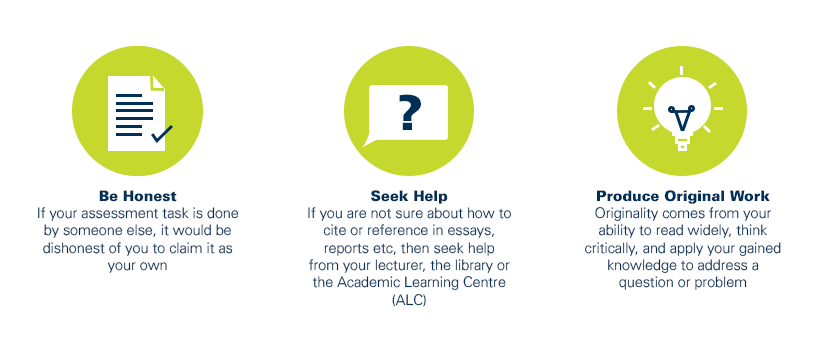
As a CQUniversity student you are expected to act honestly in all aspects of your academic work.
Any assessable work undertaken or submitted for review or assessment must be your own work. Assessable work is any type of work you do to meet the assessment requirements in the unit, including draft work submitted for review and feedback and final work to be assessed.
When you use the ideas, words or data of others in your assessment, you must thoroughly and clearly acknowledge the source of this information by using the correct referencing style for your unit. Using others’ work without proper acknowledgement may be considered a form of intellectual dishonesty.
Participating honestly, respectfully, responsibly, and fairly in your university study ensures the CQUniversity qualification you earn will be valued as a true indication of your individual academic achievement and will continue to receive the respect and recognition it deserves.
As a student, you are responsible for reading and following CQUniversity’s policies, including the Student Academic Integrity Policy and Procedure. This policy sets out CQUniversity’s expectations of you to act with integrity, examples of academic integrity breaches to avoid, the processes used to address alleged breaches of academic integrity, and potential penalties.
What is a breach of academic integrity?
A breach of academic integrity includes but is not limited to plagiarism, self-plagiarism, collusion, cheating, contract cheating, and academic misconduct. The Student Academic Integrity Policy and Procedure defines what these terms mean and gives examples.
Why is academic integrity important?
A breach of academic integrity may result in one or more penalties, including suspension or even expulsion from the University. It can also have negative implications for student visas and future enrolment at CQUniversity or elsewhere. Students who engage in contract cheating also risk being blackmailed by contract cheating services.
Where can I get assistance?
For academic advice and guidance, the Academic Learning Centre (ALC) can support you in becoming confident in completing assessments with integrity and of high standard.
What can you do to act with integrity?